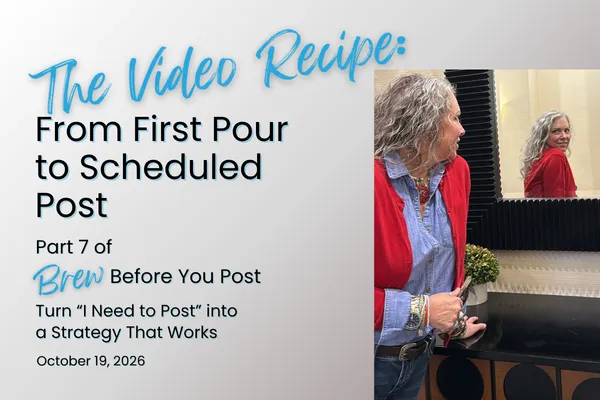
The Video Recipe: From First Pour to Scheduled Post
You're creating social media content... in order to WHAT??
I ask my clients this question constantly. You're making a video. In order to what? You're creating a carousel. In order to what? You're spending an hour making a graphic look pretty. IN ORDER TO WHAT??
If you can't answer that question, why are you spending your time creating it?
Every piece of content needs a purpose. Maybe you're introducing your business to people who've never heard of you. Maybe you're demonstrating your expertise, answering a common question, building trust, or giving someone a reason to become a customer.
The purpose determines the message. The message determines the format. Then you create the freaking thing.
Remember what we learned about batching last week? We're using that same approach here. Write all your scripts and posts before recording. Record all your videos before editing. Finish editing before assembling and scheduling your posts. You're working through the process one task at a time instead of creating every video from start to finish.
And you don't have to tackle an entire month at once. I prefer to batch one week at a time. The monthly strategy is already planned, so I can focus on getting that week's content finished.
And no, you don't need professional equipment, a production crew, or a degree in graphic design. You need your phone, a few basic tools, and a willingness to get started before you feel completely comfortable.
Here's the five-step process I use to take content from an idea to a finished, scheduled post.
☕ 1. How do you turn your content plan into something you can actually create?
STEP 1: WRITE
Before writing anything, look at your content calendar and ask yourself: "I'm creating this content in order to WHAT??"
Your answer should guide what you say, how you say it, and what you want the audience to do next. Remember the buyer's journey. An Awareness post has a different job from a Consideration post, and neither should sound exactly like a post asking someone to buy.
For each planned piece of content, prepare:
Script or talking points: What you're going to say in your video or communicate through your graphic.
Complementary social media post: The written content that accompanies your visual without simply repeating everything in it.
10 hooks: Different ways to grab attention through questions, statements, challenges, or curiosity.
Call to action: The next step you want someone to take, based on the purpose of the post.
This is where your Ai can become a useful brainstorming partner, provided you've given it specific information about your business, audience, offers, and voice.
If you open your Ai and type, "Write me a social media post about my business," don't act surprised when it gives you something that sounds like it was written for every business on the planet.
Give it the topic, the purpose, the audience, and the information you want to communicate. Have it develop your script, complementary post, and 10 hooks. Then review everything. Tweak what you need to. You're the expert, and you're responsible for making sure the content is accurate, useful, and sounds like you.
Get the writing finished before you start recording. You'll save yourself a whole lot of frustration when you aren't trying to figure out what to say while staring at your own face on your phone.
☕ 2. How do you record a talking-head video without making a whole freaking production out of it?
STEP 2: RECORD
You have your script, you know what you're saying, and you know "...in order to WHAT??" Now get your face on camera.
You don't need fancy equipment or a professional setup. You need your phone, decent lighting, and a willingness to look like an actual human being.
Here's how simple it is:
Find your light. Face a window or another light source so your face is well-lit.
Find your angle. Hold your phone vertically, slightly above eye level, at an angle you like. Start where you feel comfortable.
Check your expression. Before you start talking, have a pleasant expression or one that matches the mood of your message. Nobody wants to be greeted by your face looking like you're waiting for a root canal.
Use your face! Smile, raise your eyebrows, react, and emphasize your words with facial expressions. You can exaggerate them more than feels natural because expressions tend to appear smaller on video. Remember to be authentically you and not to over-smile. YOur expressions should match your message.
Keep recording when you fumble. Brain fart? Lost your train of thought? Pause, collect yourself, get your expression back where you want it, and continue. It's easier to edit out a pause than to keep stopping and restarting the recording.
🎥 Record directly into Edits.
Open Edits from Instagram and record your video there. Your clips will already be on the editing timeline when you're finished, so you won't have to import everything afterward.
If you need to stop and start recording, that's fine, too. Edits keeps your clips together on the timeline, making it easy to work with them in the next step. Follow the on-screen prompts and buttons as you move through the process. You don't need to memorize every feature of the app before you can use it.
And for the love of coffee, stop watching yourself so critically. Your audience is paying attention to what you're teaching them, not counting your wrinkles or evaluating your chin.
You're recording this video in order to communicate something valuable, not audition for a freaking beauty pageant.
If your content calls for a graphic or carousel instead, this is when you create it in Canva. Keep the design readable, use your brand colors and fonts, and don't spend an hour choosing between 37 nearly identical shades of blue.
☕ 3. How do you edit your content without disappearing down a perfectionist rabbit hole?
STEP 3: EDIT OR ENHANCE
Editing has a purpose, too. You're editing in order to make your message easier to understand and consume, not to eliminate every facial expression, pause, or imperfection that makes you uncomfortable.
If you recorded directly into Edits, your footage is already on the timeline. You can move through the editing process without having to transfer everything between apps.
Focus on the essentials:
Trim unnecessary footage. Cut the beginning and ending where you're reaching for the phone.
Remove mistakes. Cut out long pauses, repeated sentences, and the moments when your brain temporarily abandoned you.
Add captions. Make your video understandable to people watching without sound.
Choose a cover. Give people a reason to open the video with a clear title or hook.
Export AND download. Make sure the finished video is saved to your phone.
Follow the on-screen prompts and buttons in Edits. You don't need to master every feature before you can create a perfectly useful video.
If you're working with animated graphics, this is when you add movement and music where appropriate. Static graphics and carousels may already be finished.
And please stop spending 45 minutes editing a 30-second video because you don't like the way you blinked.
Your audience isn't studying your face. They're trying to figure out whether you can help them.
If your editing isn't making the message clearer or easier to follow, why are you still editing?
☕ 4. How do you turn your finished content into a post that actually does something?
STEP 4: CREATE THE POST
You've written the content and finished the visual. Now it's time to assemble the pieces into a complete social media post.
Remember that the video, graphic, or carousel is only one part of the post. The written content, hook, and call to action all have jobs to do.
Element | In Order to WHAT? |
|---|---|
Hook | Get the right person's attention. |
Video, graphic, or carousel | Communicate the main message. |
Complementary written post | Add context, deepen understanding, or build connection. |
Call to action | Move the audience toward the next appropriate step. |
Choose the strongest hook from the 10 you developed earlier. You might use options from that list of hooks at the beginning of your video, on your graphic, in the opening of your written post, or in more than one place.
Then pair your visual with its complementary post. If your video explains how to solve a problem, your written post might tell a related story, provide an example, or explain why the solution matters.
Don't make people watch your video and then read the exact same thing underneath it.
☕ Does every post need a call to action?
Yes, but not every post needs to ask for the sale.
For most posts, keep it simple. An arrow pointing to your website is plenty:
But every five to ten videos, make one specifically about how people can work with you. Explain what you offer, who it's for, and what problem it solves. Then give them a clear call to action: book an appointment, request a quote, purchase a product, or take whatever next step makes sense for your business.
Not everybody is ready to buy today, which is why we developed a strategy around the buyer's journey in the first place. But when someone IS ready, make the next step obvious.
Don't make people figure out how to give you their money.
☕ 5. How do you schedule your content and get on with your freaking life?
STEP 5: SCHEDULE
You've written, recorded, edited, and assembled your content. Now get it scheduled so you're not scrambling to post every day.
You've got several options:
Canva: Schedule content directly from your designs.
Meta Business Suite: Schedule Facebook and Instagram posts.
Edits: Publish your finished videos directly to Instagram.
Instagram: Publish to Instagram and share to your connected Facebook account.
Set It & Forget It: My social media posting platform lets you schedule the same content across your connected accounts, organize your content library, and recycle evergreen posts.
If you're posting to multiple platforms, lead with the format and style that work best on your primary platform. You don't need to create an entirely different post for every account.
☕ How can you make your videos work harder?
When you publish a video as a post on Instagram, it can appear in both your main profile grid and your Reels tab. That gives people two places to find the same content without creating two separate posts.
And don't forget Stories! Share your published content to your Instagram and Facebook Stories to give people another opportunity to see it. If they're connected through Instagram, just post there and make sure to choose to share to Facebook.
Before scheduling, double-check your hook, written post, CTA, links, publishing dates, and platforms. Make sure the correct visual is attached to the correct post.
Once everything is scheduled, the production work is done. You still need to respond to comments, participate in conversations, and pay attention to your audience, but you don't have to wake up every morning wondering what you're going to post.
And remember, you can plan an entire month but batch the actual production one week at a time. That's how I prefer to do it. Three posts are a lot less intimidating than twelve, and the process gets faster every time you repeat it.
You're creating and scheduling all this content in order to WHAT??
To get your business noticed, build trust, bring in customers, and get back to running your freaking business.
☕ Here's a fresh batch of HOOKS brewed up for your content this week.
Pick the ones that fit your business, customize them for your audience, and put them to work. And before you create anything, ask yourself: "...in order to WHAT??"
☕ Make Them Question What They're Doing
You're doing [task]... in order to WHAT?
What's the actual point of [common activity]?
Stop doing [task] just because everybody else does.
Are you getting results from [activity], or just staying busy?
Why are you spending so much time on [task]?
What are you actually trying to accomplish with [activity]?
You're putting effort into [task], but is it working?
Before you spend money on [solution], ask yourself this.
Is [activity] helping your business or just keeping you occupied?
You don't need more [thing]. You need a reason for it.
☕ Stop Overcomplicating the Process
You're making [task] way harder than it needs to be.
Stop overthinking [task] and just get started.
You don't need fancy [equipment] to get [result].
Here's the simplest way to get started with [task].
You're spending too much time worrying about [minor detail].
Nobody cares about [imperfection] as much as you do.
Stop waiting until you're good at [skill] to start.
You don't need to master [tool] before using it.
Your first [attempt] doesn't need to be perfect.
Here's what actually matters when you're doing [task].
☕ Teach Them How to Do Something
Here's exactly how I approach [common task].
Start with [first step] before you do anything else.
If you're new to [skill], do this first.
The easiest way to handle [problem] is to [solution].
Here's what I wish I'd known before starting [task].
You can accomplish [result] in [number] simple steps.
Stop doing [inefficient process]. Try this instead.
Here's how to make [task] less intimidating.
You don't need [complicated solution] to accomplish [result].
Watch how I turn [problem] into [desired outcome].
☕ Show Them What Actually Matters
Your customers don't care about [detail]. They care about [benefit].
Stop focusing on [distraction] and start focusing on [priority].
The most important part of [process] isn't what you think.
You don't need perfect [thing]. You need effective [thing].
Here's what actually makes a difference when you're [task].
Your [product/service] should solve [problem], not create another one.
You're worrying about the wrong part of [process].
If [task] isn't helping you [goal], what's the point?
People aren't buying [feature]. They're buying [benefit].
The goal isn't [activity]. The goal is [outcome].
☕ Give Them a Reason to Work With You
If you're struggling with [problem], here's how I can help.
You don't have to figure out [process] by yourself.
Here's what happens when you work with me on [service].
My [service] is designed for people who [specific frustration].
Stop wasting time on [problem] when there's a better solution.
Want [desired result] without dealing with [frustration]?
Here's exactly what you get when you book [service].
If you're ready to stop [pain point], here's your next step.
You handle [priority]. I'll handle [service].
Ready to get [result]? Here's how we get started.
☕ Challenge Their Excuses
How long are you going to keep putting off [task]?
You're not waiting for the right time. You're avoiding [challenge].
Stop telling yourself you can't do [task] until [condition].
You don't need permission to start [activity].
Your fear of [task] isn't making the problem disappear.
If you keep waiting to feel ready, you'll keep waiting.
Nobody expects you to be an expert on day one.
Being uncomfortable with [task] doesn't mean you can't do it.
You can keep avoiding [task], but what's that costing you?
You're allowed to be new at [skill]. Start anyway.